December 13, 2023
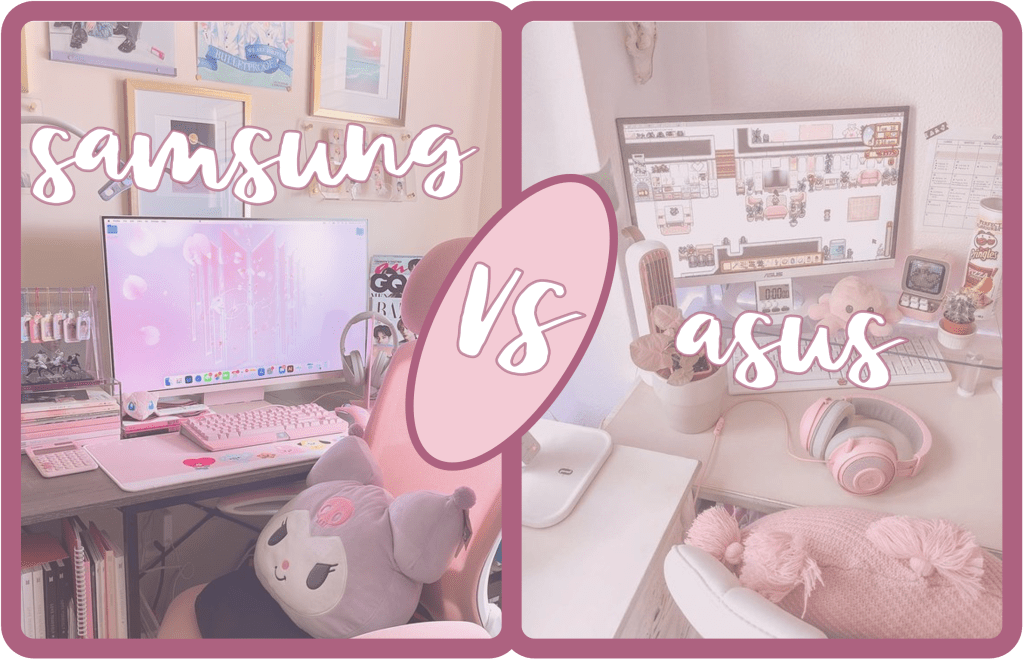
Regarding today’s gaming monitors, Samsung and ASUS stand out as some of the top elites, each offering a diverse lineup designed to cater to the needs of avid gamers. Choosing the right monitor for your gaming setup can be a daunting task, given the myriad of options available along with the steep cost of them. In this comparison, we’ll delve into the key features and specifications of Samsung and ASUS gaming monitors to help you make an informed decision.
Design and Build Quality:
Both Samsung and ASUS prioritize aesthetics in their gaming monitor designs, delivering sleek and modern exteriors. Samsung tends to embrace a minimalist approach with slim bezels and curved displays in some models, while ASUS opts for angular designs and customizable RGB lighting. The choice here largely depends on personal preference, with Samsung offering a more subtle elegance and ASUS catering to those who prefer a bold, gamer-centric aesthetic.
Display Technology:
Samsung and ASUS employ a variety of display technologies to enhance the gaming experience. Samsung, known for its vibrant and high-contrast displays in TVs and smartphones, brings these qualities to its gaming monitors. The inclusion of QLED technology in some models provides rich colors and deep blacks, creating a visually immersive experience.
On the other hand, ASUS focuses on innovation with technologies like ELMB (Extreme Low Motion Blur) and HDR (High Dynamic Range). ASUS monitors often feature high refresh rates, reaching up to 240Hz in some models, ensuring smooth gameplay with minimal motion blur.

Resolution and Panel Types:
When it comes to resolution, both Samsung and ASUS offer a range of options. Samsung provides QHD (2560×1440) and 4K (3840×2160) resolutions, catering to gamers who prioritize high detail and clarity. ASUS, known for its commitment to high refresh rates, balances resolution with speed, offering a variety of Full HD (1920×1080) and QHD resolutions.
In terms of panel types, both brands use IPS (In-Plane Switching) and TN (Twisted Nematic) panels, each with its own strengths. IPS panels generally offer better color reproduction and wider viewing angles, while TN panels prioritize faster response times, making them ideal for competitive gaming.
Adaptive Sync Technology:
Both Samsung and ASUS recognize the importance of adaptive sync technology in eliminating screen tearing and stuttering during gameplay. Samsung employs FreeSync technology in some models, while ASUS supports both FreeSync and G-Sync, providing users with a wider range of compatibility with graphics cards.
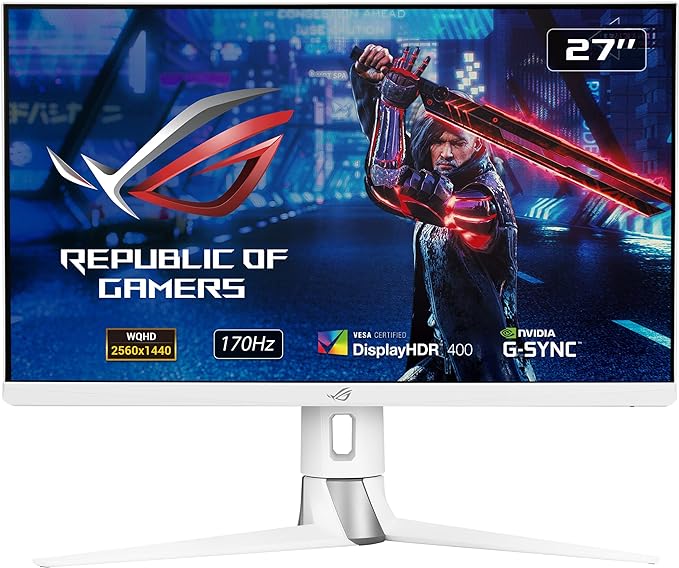 | ASUS ROG Strix XG27AQ-W 27” 1440P HDR Gaming Monitor – White $299.00 |
Connectivity and Additional Features:
Samsung and ASUS gaming monitors are equipped with a variety of ports to accommodate different devices. HDMI, DisplayPort, and USB ports are commonly found on both brands. ASUS, however, often includes additional features such as built-in speakers, customizable on-screen displays, and gaming-specific enhancements like crosshair overlays.
| Samsung | Asus |
| 🖤 Minimalist & Sleek design 🖤 Vibrant High Contrast Display 🖤 Creates a Visually Immersive Experience 🖤 Smart TV Features 🖤 More Affordable Options 🖤 Recommended for New Gamers who wont take Advantage of the Additional Features | 🖤 Angular & Bold design 🖤 Customizable RGB Lighting 🖤 Innovative Technology Features (ELMB & HDR) 🖤 High Refresh rate for Smooth Game Play 🖤 Resolution and Speed Balance 🖤 Additional Features |
Choosing between a Samsung and ASUS gaming monitor ultimately depends on your specific preferences and gaming priorities. Samsung excels in delivering visually stunning displays with QLED technology and sleek designs. ASUS, on the other hand, focuses on high refresh rates, adaptive sync technologies, and gaming-centric features. Consider your gaming needs, aesthetic preferences, and budget to determine which of these gaming monitor titans is the perfect fit for your gaming setup.
 Her Space
Leave a comment